We’ve all been there. You’re in the middle of a deadline, or finally settling in for a gaming session, and suddenly—blackout. Or maybe it’s the dreaded “crunch” of a laptop screen meeting a floor it wasn’t supposed to visit.
At Lubbock Computer Professional Repair, we see tech heartbreaks every day. But here’s the good news: most hardware issues aren’t terminal. Whether it’s a flickering display or a silent motherboard, understanding the “how” and “why” of repairs can take the mystery out of your machine.
1. The Gateway: Screen & Display Issues
The screen is your window into the digital world, and it’s also the most vulnerable component.
-
The Cracked Screen: Modern laptops use incredibly thin LCD or OLED panels. A single drop can spiderweb the glass. In most cases, we don’t just “fix” the glass; we replace the entire display assembly to ensure factory-level clarity.
-
The “No Signal” Mystery: If your desktop monitor is dark but the PC is humming, the culprit is often the GPU (Graphics Processing Unit) or a faulty cable.
-
Backlight Failure: If you can see a faint image when holding a flashlight to the screen, your backlight or inverter has likely given up the ghost.
2. The Internal Organs: RAM and Storage
If your computer feels sluggish or keeps “Blue Screening,” the problem is often found in these two areas.
-
RAM (Random Access Memory): Think of RAM as your computer’s short-term memory. If a stick of RAM fails, your computer might beep at you or refuse to boot. Upgrading RAM is often the most cost-effective way to breathe new life into an old PC.
-
Storage (SSD vs. HDD): If you’re still running an old-school mechanical Hard Drive (HDD), you’re driving a tractor on a highway. Moving to a Solid State Drive (SSD) is like switching to a jet engine.
3. The Central Command: The Motherboard
The motherboard is the nervous system of your computer. It connects everything—the CPU, the power supply, and your peripherals.
Repairing a motherboard is the “brain surgery” of the tech world. Common issues include:
-
Blown Capacitors: Small components that can leak or bulge due to power surges.
-
Corrosion: Usually the result of that coffee spill you thought you cleaned up last month.
-
Socket Damage: Bent pins where the processor sits.
Pro Tip: If your computer won’t turn on at all, we always check the CMOS battery first. It’s a tiny watch battery on the motherboard that, if dead, can sometimes prevent the whole system from posting!
4. The Silent Killer: Heat and Dust
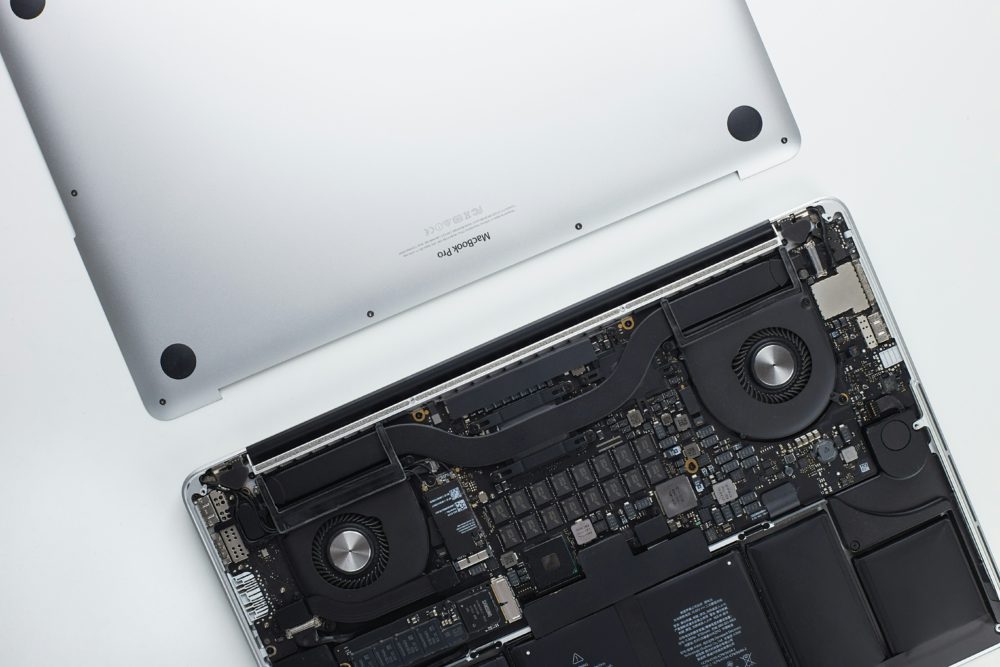
If we had to pick one enemy of computer hardware, it’s heat. Over time, the thermal paste—a conductive material that sits between your processor and its cooling fan—dries out and becomes brittle.
When your internal temperatures exceed safe limits, your hardware “throttles” (slows down) to protect itself. Regular internal cleaning and a fresh application of thermal paste can extend your computer’s life by years.
When to DIY vs. When to Call the Pros
We love a good weekend project as much as anyone, but hardware repair carries risks:
-
Static Electricity: A single “zap” from your fingertip can fry a $500 motherboard.
-
Proprietary Screws: Manufacturers love using tiny, specialized screws that strip easily if you don’t have the right kit.
-
Warranty Concerns: Opening your device often voids your manufacturer protection.
Need a Fix in the Hub City?
If your tech is acting up, don’t panic. From simple screen swaps to complex motherboard soldering, the team at Lubbock Computer Professional Repair is here to get you back online.
Stop by our shop or give us a call today—let’s get that machine running like new!